How to Start a Mock
This guide walks you through taking a full-length adaptive mock test on Preppeo.
Video Walkthrough
Watch a complete walkthrough of our SAT-Math mock test:
Step 1: Go to the Mock Hub
Click Mocks in the navigation bar, or go to preppeo.com/mocks .
Step 2: Choose Your Exam
Select the exam you want to take — SAT, GRE, Ashoka, or others.
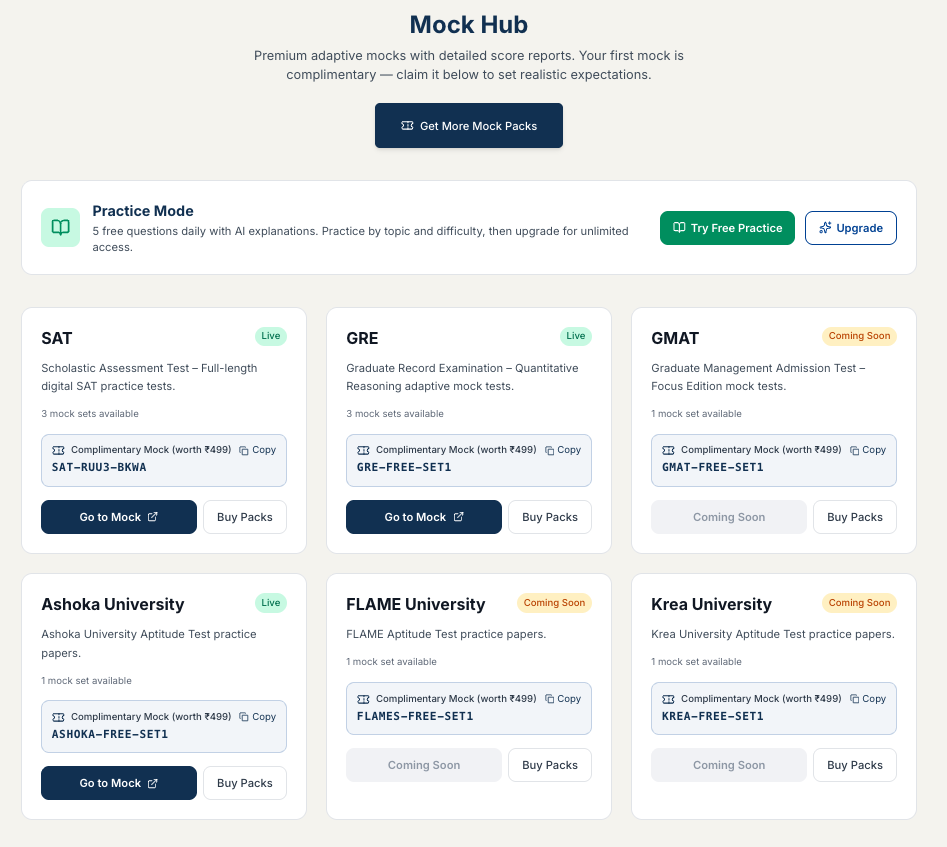
Step 3: Enter Your Access Code
Each mock requires an access code (token). If you have a free complimentary token or purchased tokens, enter the code when prompted.
- Don’t have a code? Click “Claim Free Mock” to get your complimentary token, or visit the Token Store to purchase more.
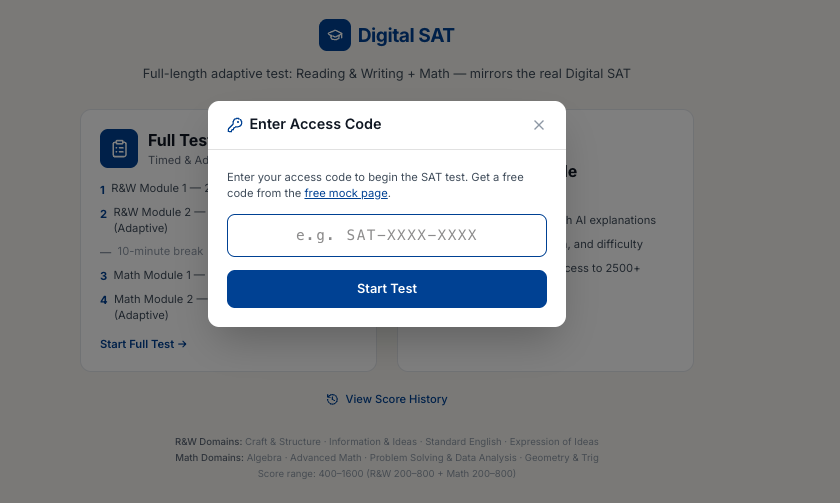
Step 4: Start the Mock
Once your code is verified, you’ll see the mock configuration screen. Review the details and click Start Mock.
- The test is timed — a countdown timer appears at the top.
- For the SAT, Module 2 adapts based on your Module 1 performance, just like the real exam.
Step 5: Submit and View Results
After completing all sections, submit your test. Your score report generates immediately.
Tips
- Use a quiet environment and treat it like the real exam.
- Don’t close the browser tab during the test — your progress is saved, but re-entry may cost time.
- Review your results carefully — see Understanding Your Score Report.
Last updated on